Deborah R. Fowler
Python in Houdini - Source Editor
Python Source Editor
The code you type into the python source editor is saved with your hip file.
Note: Any function you type in here you can also call from the shell by adding the prefix hou.session to the function call.
For example, bring up the Python Source Editor and create a function to print hello world:
def printHello():
    print("Hello World")
If you add the call printHello() to the code it will print "Hello World" each time you hit Apply. (see hip file).
You can also call this function in the python shell by typing hou.session.printHello()
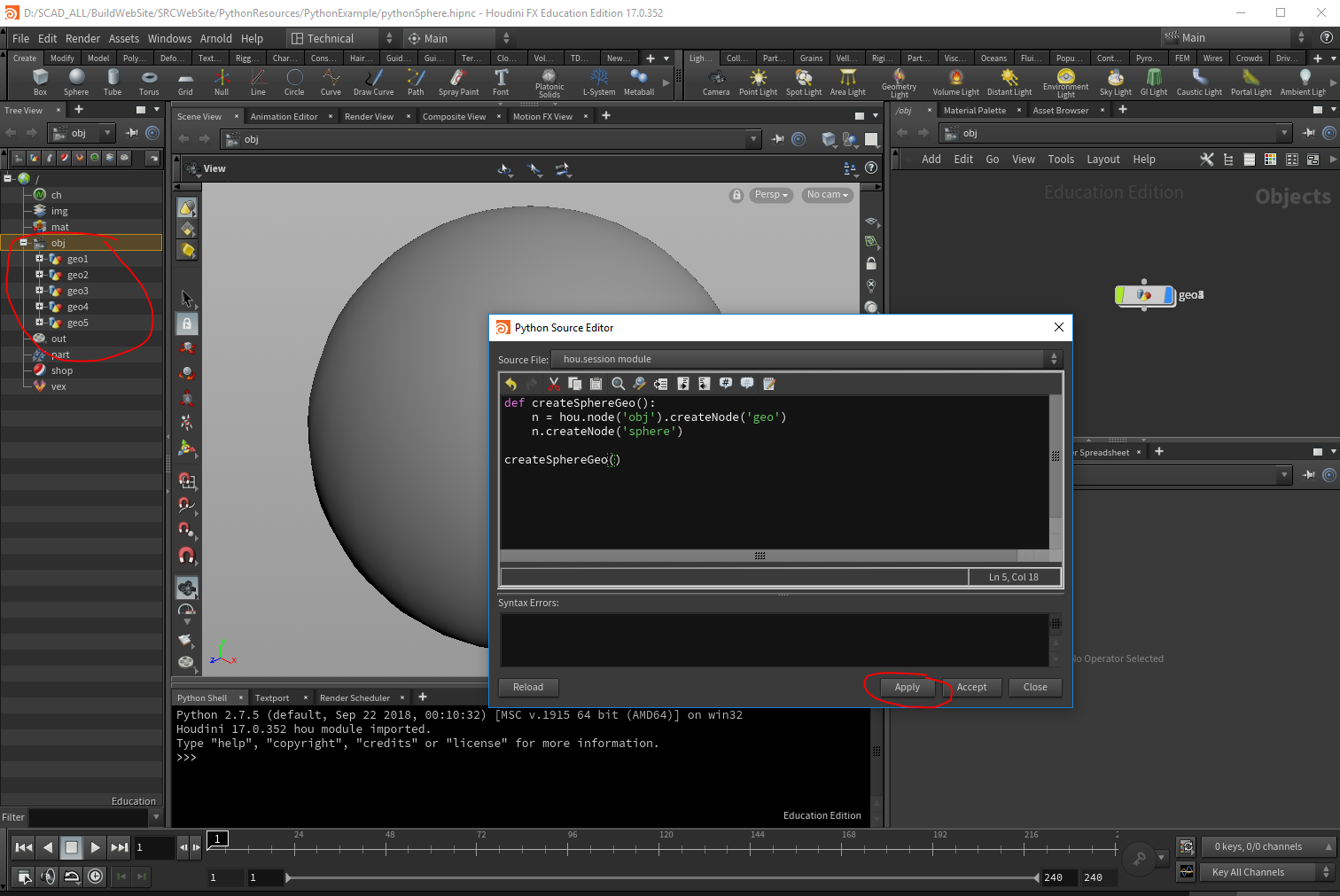
If you want to use houdini specific calls, you would have to import hou. So for example, to create a sphere in the python source editor you would type
import hou

def createSphereGeo():
    aGeoNode = hou.node('obj').createNode('geo')
    aSphereNode = aGeoNode.createNode('sphere')
    aSphereNode.setDisplayFlag(1)

createSphereGeo()
In this case, each time you hit apply a new sphere would be added. (see hip file.) Below I hit apply 5 times.